
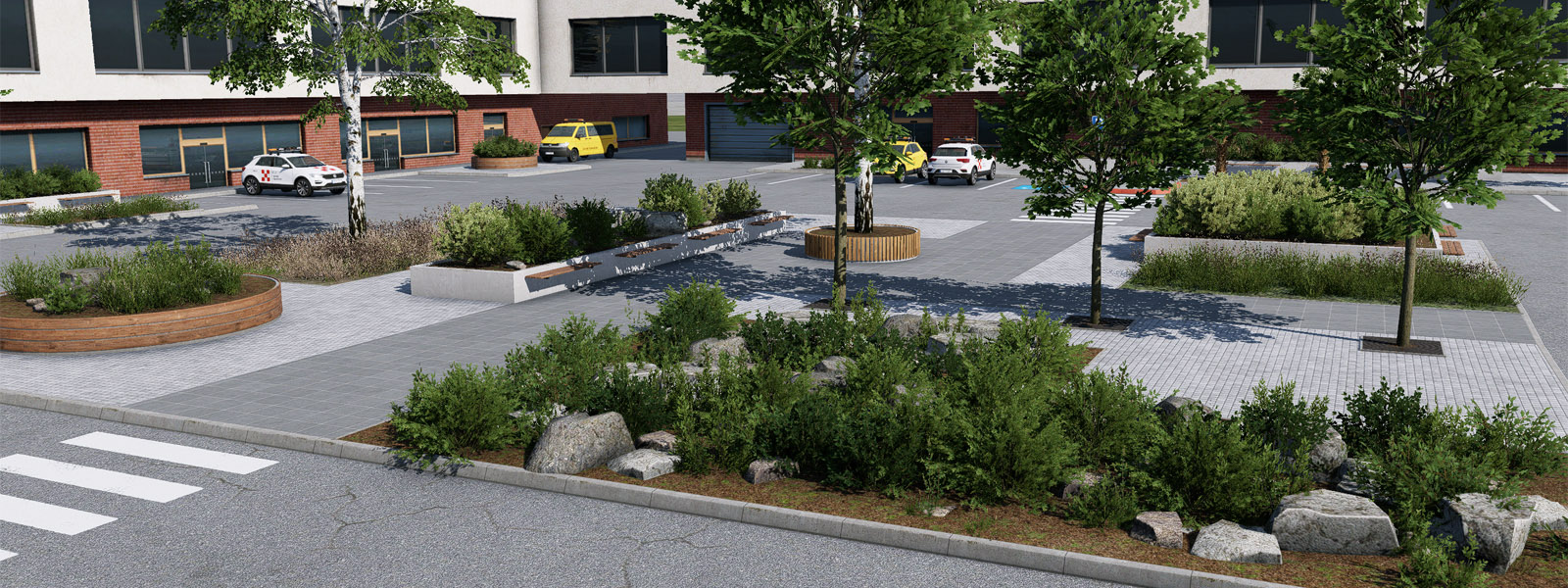
X-Plane version 12.3.1 introduces new elements for building a 3D sidewalk. All related items can be found in lib/airport/ground/sidewalk_15cm/ section of the library.
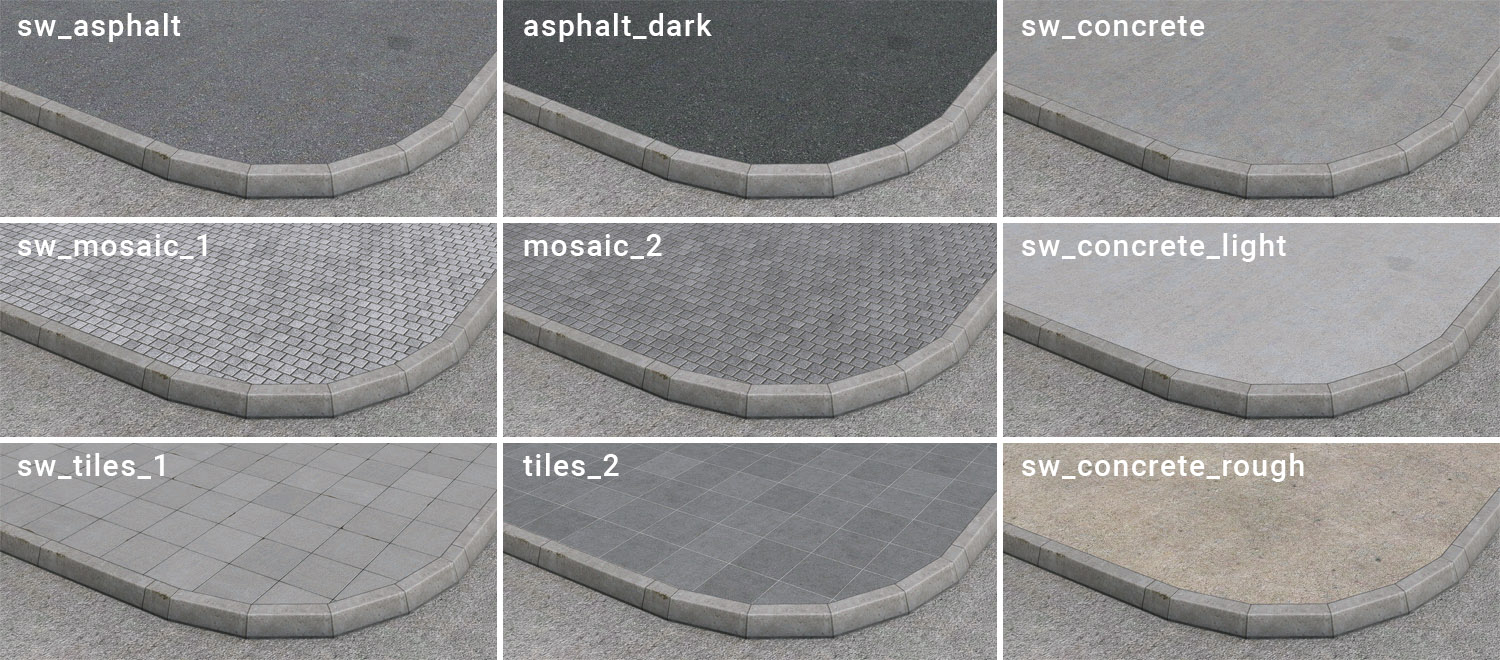
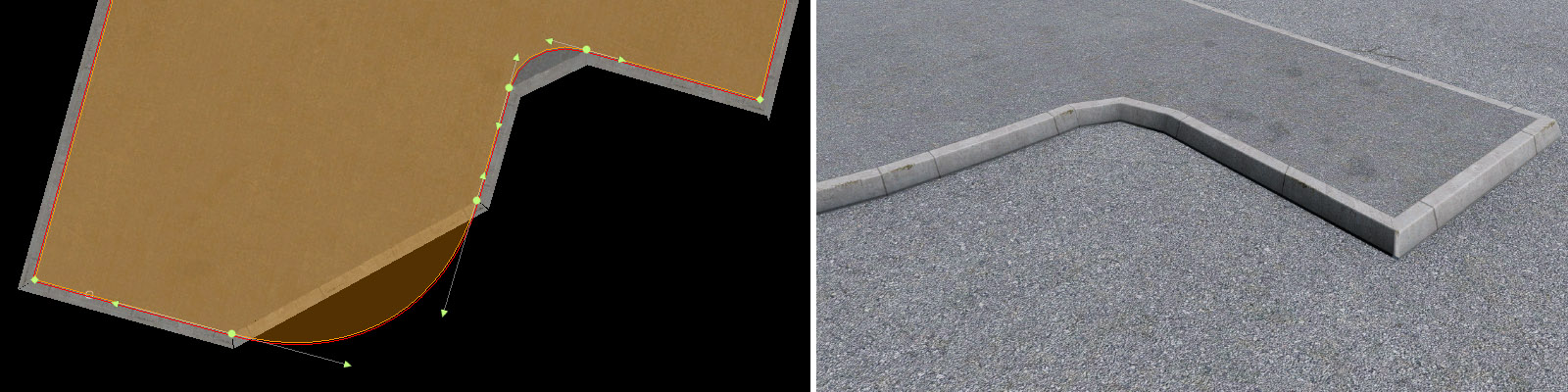
The main body of the sidewalk is a facade object where the flat roof represents the pavement, and the walls represent curbs. There are nine hard surface materials currently available, but we may add more in the future.
An additional three materials represent soft surfaces. This is useful for a situation where the pavement meets grass in an elevated position (sidewalk islands between roads or on a parking lot).

All sidewalk facades have six different colors of the curb that can be changed on a per-wall basis.

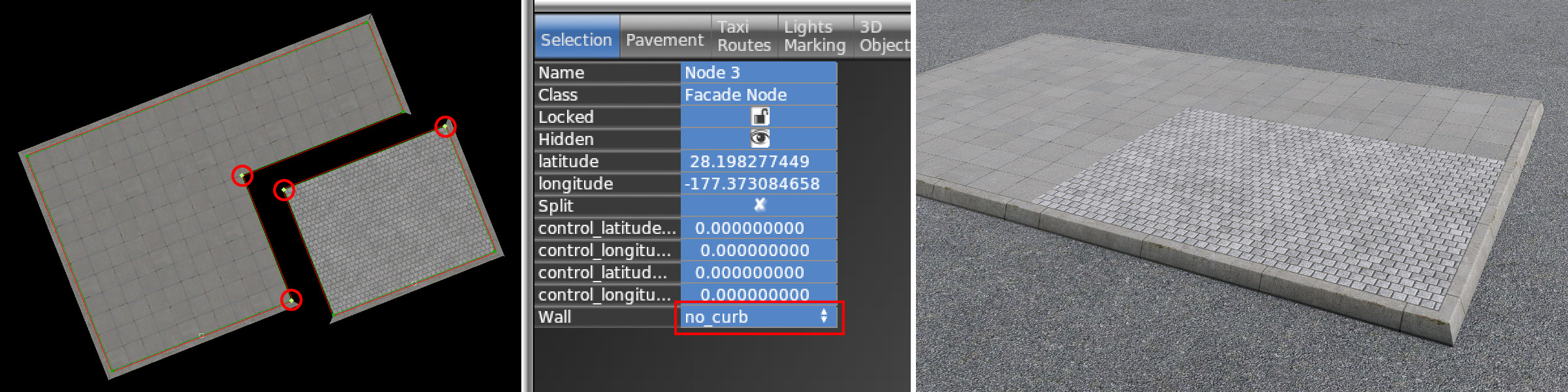
All sidewalk materials (facades) can be easily combined and mixed. You have to draw different surface types with different facades. For eventual adjacent walls, there's a special wall type with the no_curb option.
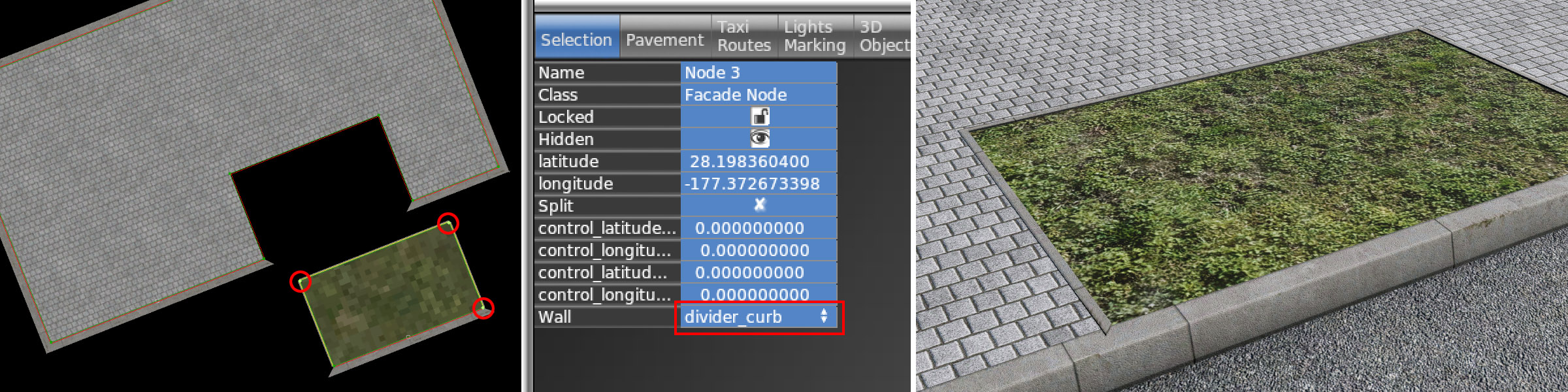
In the case where a hard and soft surface are adjacent, a sharp texture border between grass and pavement may look unrealistic. For that purpose, soft surface sidewalks offer an additional curb called the divider.
Rounded corners of the sidewalk might be tricky. Although the facade fully supports Bezier segments, it has several limitations. Due to the nature of Bezier curves, it is almost impossible to achieve nice, regular gaps in curb. Vertical gaps are usually stretched towards the curve vertices. Also, WED currently doesn't support preview for curved facade segments.
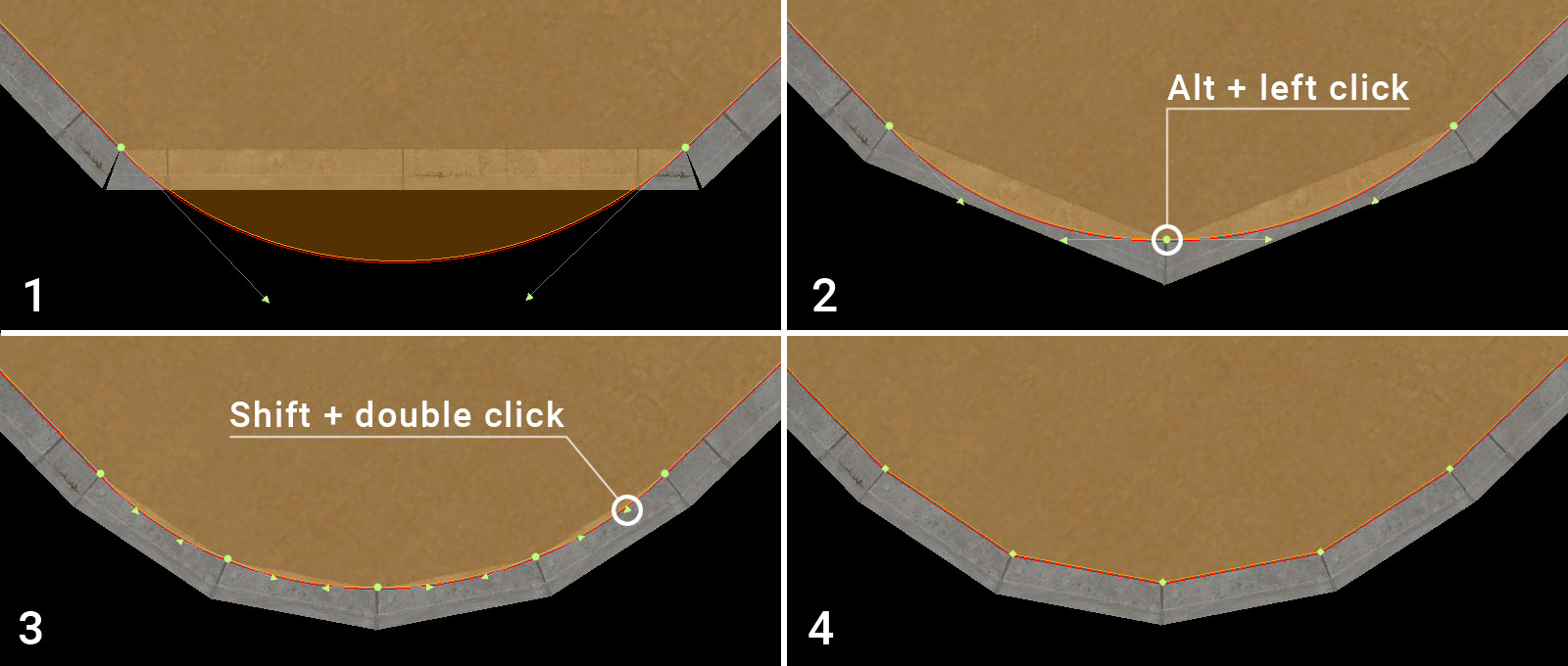
The following recommended method is the easiest way to achieve a realistically looking curved segment:
1 – Draw the desired arc using the common Bezier curve method
2 – Add additional points to the curved segment using Alt + LMB
3 – It is useful to start from the middle and then continue dividing the segments evenly (optimal final length of the segment is 0.5 – 0.8m)
4 – Change all Bezier vertices back to linear by Shift double-clicking on the Bezier handle
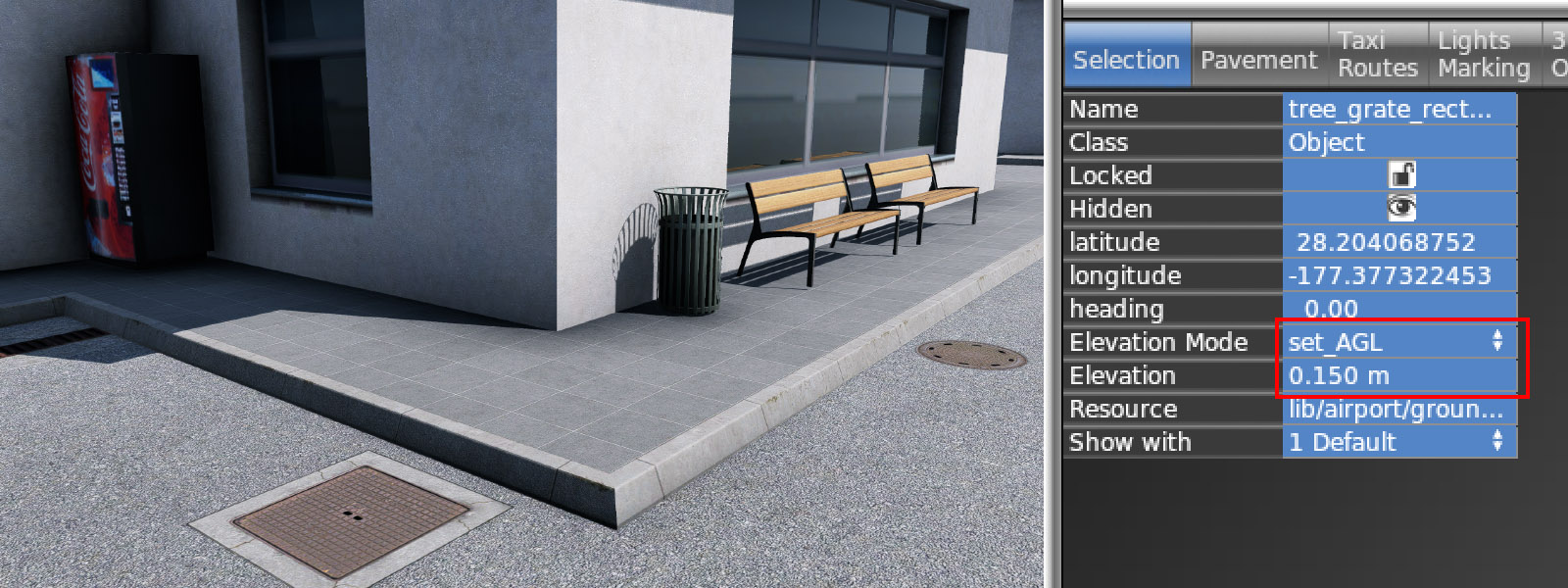
All sidewalk facades are 15 centimeters high (as it is mentioned in the name of the library section). To place any object on top of the sidewalk, you need to use the set_AGL feature in the WED.
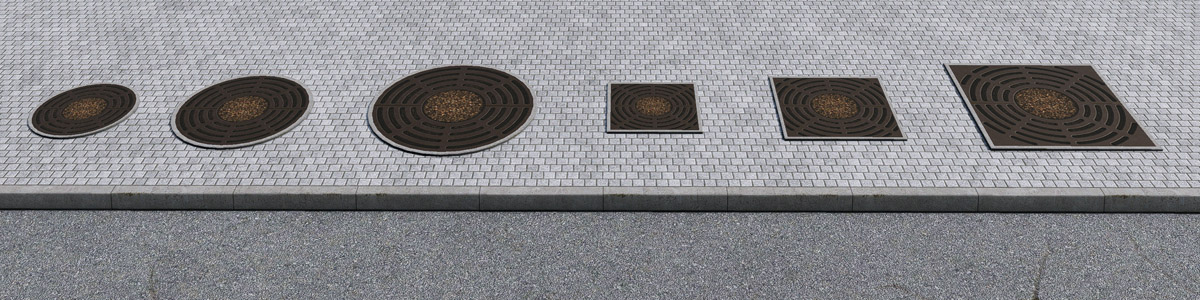
The typical example is the tree grate objects, which are also a new addition.
Another new elements related to the sidewalk are planters. They are available in two different types – ground and high. The ground variant is designed for use specifically in the middle of the sidewalk, whereas the high variant can be used anywhere. Some of the high planters also have walls with benches.

To fill up these new planters, there is also a special new vegetation. In the library section lib/vegetation/planter, there are 15 various mixes, all available in two variants. The /ground variant is common and can be used with ground planters or anywhere. The /high variant is designed for use with high planters.
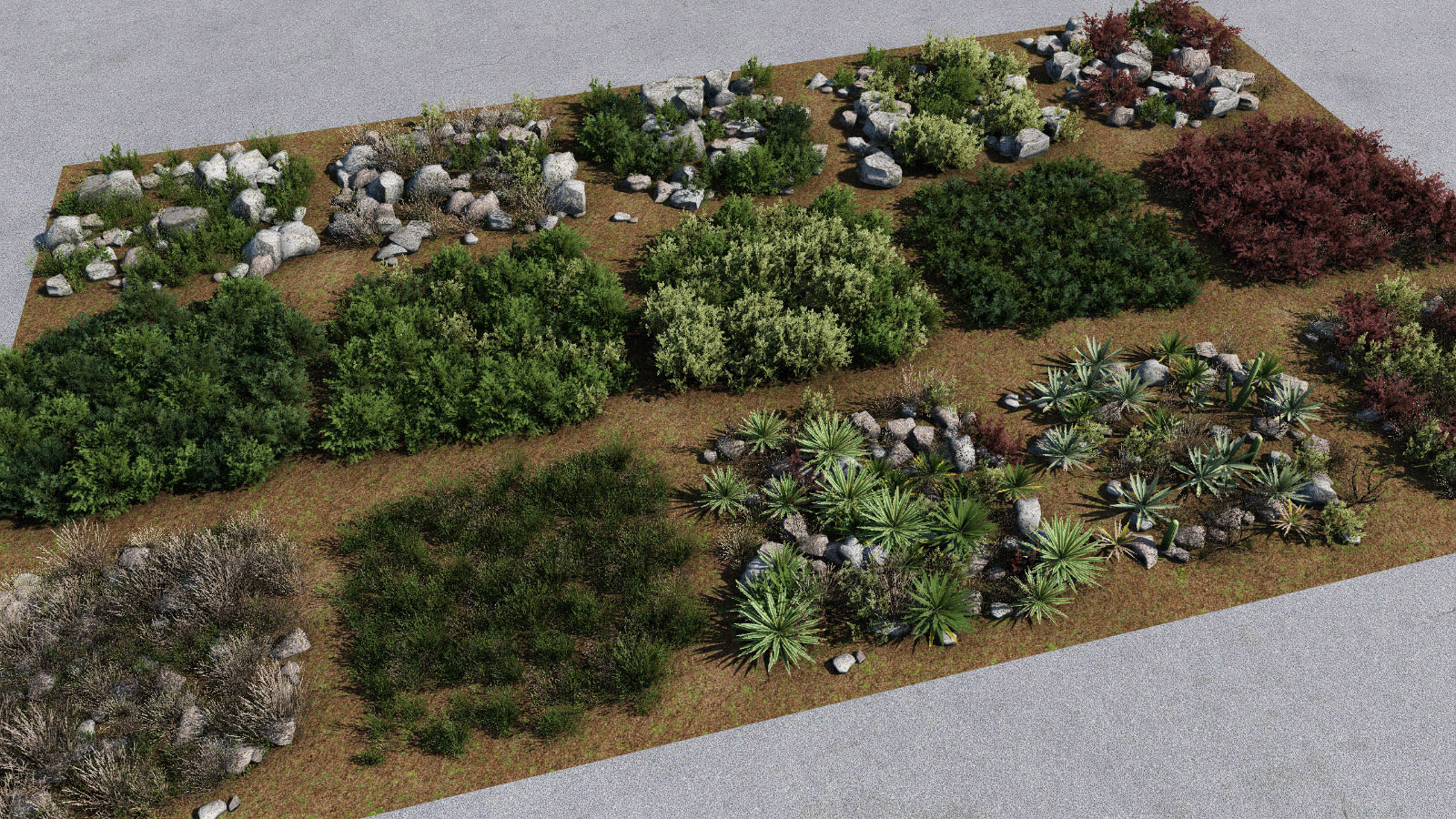
WARNING: Please, do not use any of these new vegetation on large areas. It is very dense and resource-intensive. It can hurt performance very easily. Use it wisely in necessary places only (bordering taxiways with high grass mixes is a typical bad example).
This is fantastic!! These additions will help breathe new life into a ton of airports on the Scenery Gateway and allow creators for airports to really push higher detailed default airports!